Most of the changes made in beVault are only metadata. They don’t physically create something. That is why we create and deploy versions of beVault to different environments. It is only with this feature that the tables are created in the databases.
Create a version
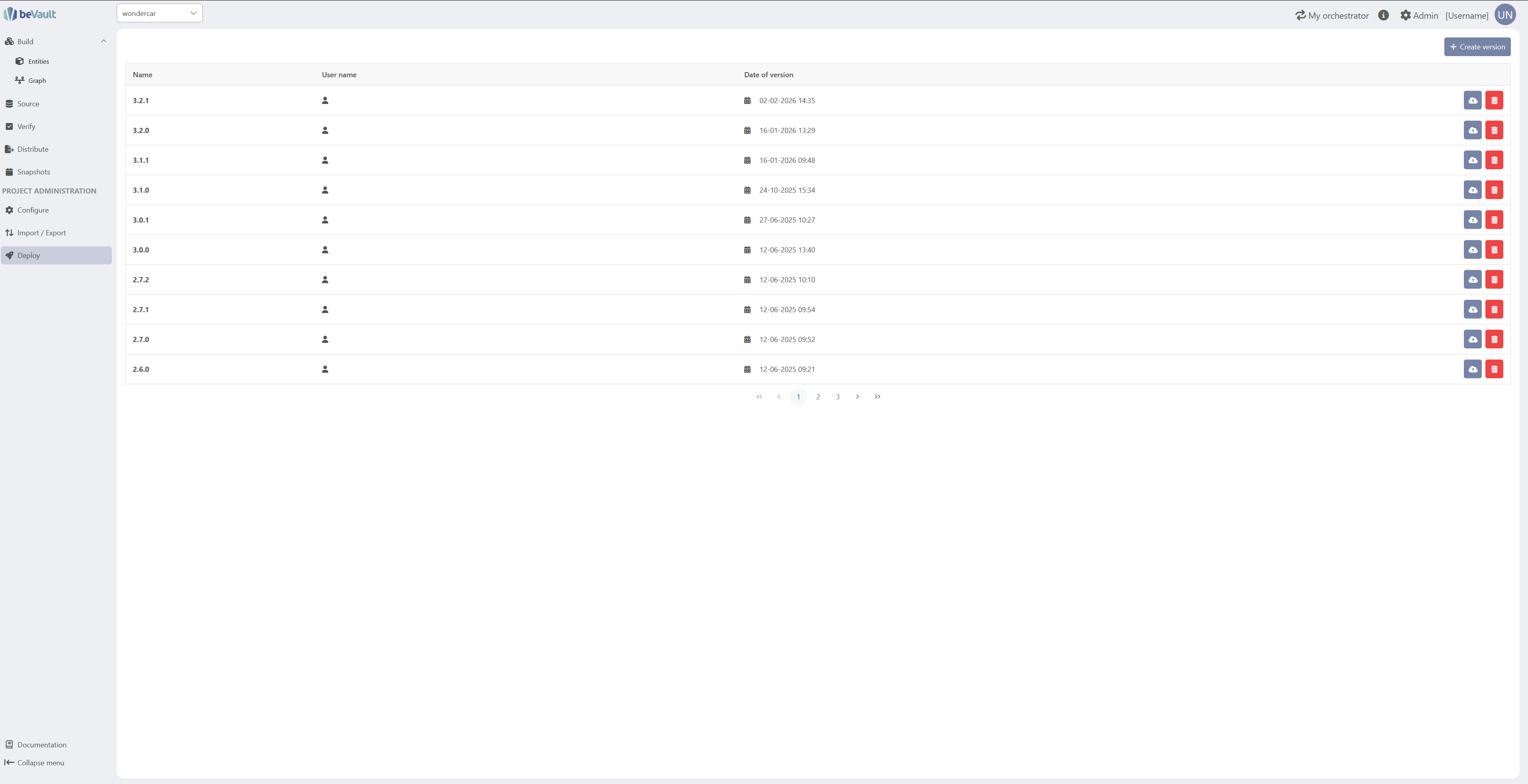
To create a new version, click on the “Create Version” button in the top-right corner. A pop-up wizard will appear, asking you to give the new version a name. Once you have provided a name, you can create the version.
We recommend following the software versioning: https://en.wikipedia.org/wiki/Software_versioning

Once the version is created, the table will automatically be filled in with additional information listed below
-
Name: name given at creation.
-
Username: name of the user who created the version.
-
Date of Version: date & time of version creation.
-
Actions: allows the user either to send workflows (deploy) or delete a version.
Release a version
Users can deploy a new version to an environment to apply the changes they made with the dedicated button

The following pop-up wizard will require the user to select an existing environment before deploying the version by clicking on the button at the bottom-right.

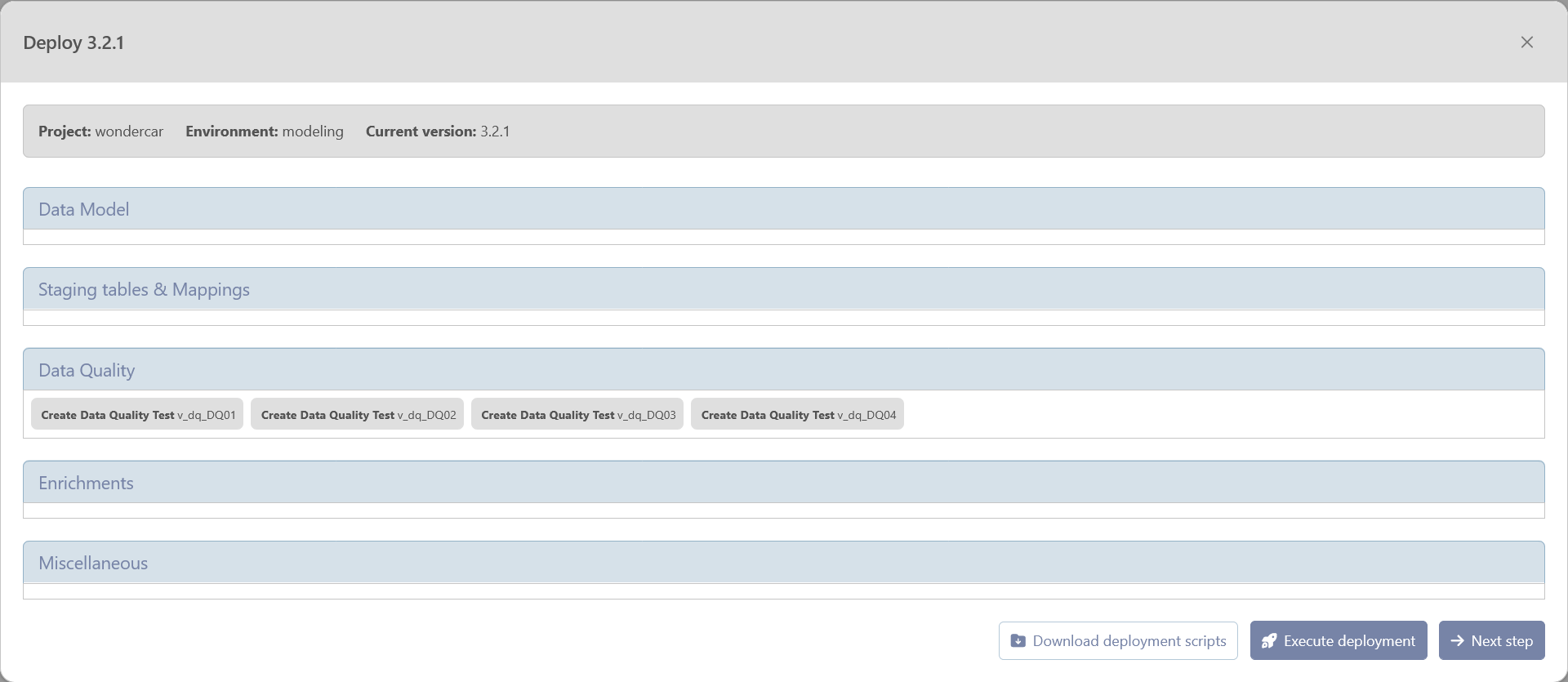
After clicking on Deploy, a summary wizard will pop up with details of the deployment. On this page, you will find all the changes that will be applied to your environment.
When deploying a new version, beVault compares your target version against the actual database state to determine which changes need to be applied. This approach provides two important safeguards:
-
Error recovery: If deployment fails partway through, beVault skips already-deployed objects on retry
-
Manual change reconciliation: beVault detects and reconciles any manual database modifications, which may result in additional deployment actions beyond the version-to-version diff
From this page, you can perform the following actions
-
“Download deployment scripts”: This action will download a zip file containing all SQL files with the deployment scripts of the version. This scripts can be executed by a database administrator if beVault does not have all required rights to the database.
-
“Execute deployment”: This action will execute the SQL script to deploy the version on the environment.
-
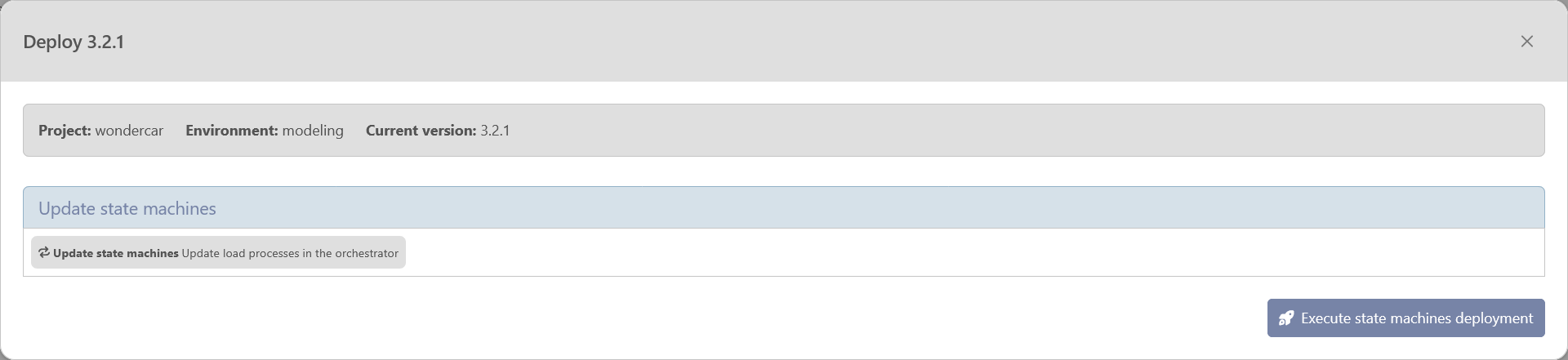
“Next Step”: once deployed, either manually by downloading the script or automatically with the execute button, you can proceed to the next step to deploy the state machine in the orchestrator.
Download deployment scripts
When deploying a version to an environment, you have the possibility to download the DDL queries to apply the version to the database.
The DML queries used by States are also available in the archive so that you can use any orchestration tool you like.
Archive structure
📁 [version]
-
📁 DDL/ - Folder containing all DDL scripts (previously DeployModel.sql)
-
📄 00_deploy_version_full.sql - contain the full SQL script to deploy the version (current DeployModel.sql)
-
📁 01_schema_and_grants/
-
📄 [x]_create_[schema name].sql - Creates meta, src, stg, bv, dv, im, ref schemas and grants metavault_readonly on each
-
-
📁 02_cleanup/
-
📄 [x]_drop_stg_[staging table name]_l2.sql - Drops stg.*_l2 tables before redeployment
-
-
📁 03_control_tables/
-
📄 0_create_stg_load_process.sql - stg.load_process table for load run tracking.
-
📄 [x]_create_im_ctrl_[snapshot_name].sql - create the snapshot tables (im.ctrl_[snapshot name])
-
-
📁 04_raw_vault/ - creation of the tables found in the schema dv
-
📄 [x]_create_dv_[h | l | sh | sl]_[entity name].sql - creation of the tables found in the schema dv. h is for hub, l for link, sh for hub satellite, sl for link satellite
-
📄 [x]_create_dv_v_[h | l | sh | sl]_[staging table name]_[mapping code].sql - creation of the views found in the schema dv. h is for hub, l for link, sh for hub satellite, sl for link satellite
-
-
📁 05_business_vault/ - creation of the tables found in the schema bv
-
📄 [x]_create_bv_l_dq_[entity name].sql
-
📄 [x]_create_bv_[h | l]_[entity name]_[source code]_effsat.sql - creation of the tables of the effectivity satellites. h is for hub, l for link.
-
📄 [x]_create_bv_v_[h | l]_[staging table name]_[mapping code]_ef_effsat.sql - creation of the views of the effectivity satellites. h is for hub, l for link.
-
📄 [x]_create_bv_[h | l]_pit_[entity name]_[snapshot name].sql - creation of the pit tables. h is for hub, l for link.
-
📄 [x]_create_bv_v_sl_dq_[entity name]_results.sql
-
📄 [x]_create_bv_[sh | sl]_[satellite name].sql - creation of the views related to the descriptive satellite with the computation of the load_end_dts. sh for hub satellite, sl for link satellite.
-
-
📁 06_reference/
-
📄 ref_tables.sql - creation of the reference tables
-
-
📁 07_data_quality/
-
📄 00_create_im_dim_dq_controls.sql - create the dim_dq_control
-
📄 01_insert_im_dim_dq_controls.sql - insert values in the dim_dq_control
-
📄 [x]_create_im_fact_dq_results.sql
-
📄 [x]_create_src_v_dq_[data quality control name | entity name].sql - creation of the views in the src schema
-
-
📁 08_staging/
-
📄 [x]_create_stg_dq_[entity name].sql - creation of the staging table for data quality control
-
📄 [x]_create_stg_dq_[entity name]_l2.sql - creation of staging lvl2 tables for data quality control
-
📄 [x]_create_stg_v_dq_[entity name]_l2.sql - creation of views for data quality control to load the stg lvl2, dv and bv entities
-
📁 [Source code]/ - one folder per source system
-
📄 [x]_create_stg_[staging table name].sql - creation of the staging table or view
-
📄 [x]_create_stg_[staging table name]_l2.sql - creation of staging lvl2 tables
-
📄 [x]_create_stg_v_[staging table name]_l2.sql - creation of views to load the stg lvl2, dv and bv entities
-
-
-
📁 09_ghost_records/
-
📄 [x]_[dv | bv]_[h | l | sh | sl]_[entity name] - insert ghost records in the table of the raw vault (dv) and business vault (bv) for the DQ. h is for hub, l for link, sh for hub satellite, sl for link satellite.
-
-
📁 meta/
-
📁 create
-
📄 create_meta.sql - Create the meta.config table
-
📄 create_meta_[name of the table].sql - Create all tables containing the metadata in the meta schema (schema_conventions, table_conventions, column_conventions, tables, table_columns, soutcesytems, data_packages, data_qualities, data_quality_columns, table_data_flows)
-
-
📁 insert
-
📄 meta_[name of the table].sql - insert values in all tables containing the metadata in the meta schema (schema_conventions, table_conventions, column_conventions, tables, table_columns, soutcesytems, data_packages, data_qualities, data_quality_columns, table_data_flows)
-
-
-
📁 99_version_control/
-
📄 insert_version.sql
-
-
-
📁 DML - Folder containing all loading processes (restructured)
-
📁 Snapshots
-
📁 Load_Snapshot_[snapshot name] (CFR Data Workflows | Data Quality workflow)
-
📄 [x]_insert_snapshots_im_ctrl_[snapshot name].sql
-
📄 [x]_delete_old_snapshots_bv_[ pit table name].sql - Align underscore, shorten the name
-
📄 [x]_delete_old_snapshots_im_ctrl_[snapshot name].sql - add the schema im to align with the insert
-
📄 [x]_insert_bv_[ pit table name].sql - use insert instead of load
-
For each entity on which there is a DQ check related to the snapshot
-
📄 [x]_truncate_stg_[snapshot name]_[entity name].sql
-
📄 [x]_insert_stg_[snapshot name]_[entity name].sql - use insert instead of load
-
📄 [x]_truncate_stg_[snapshot name]_[entity name]_l2.sql
-
📄 [x]_insert_stg_[snapshot name]_[entity name]_l2.sql - use insert instead of load
-
📄 [x]_insert_dv_[entity name][_x].sql - use insert instead of load. In case of a DQ check on a recursive link, the script is suffixed with an auto-incremented number
-
📄 [x]_insert_bv_l_[snapshot name]_[entity name].sql - insert into the link of the DQ check
-
📄 [x]_insert_bv_sl_[snapshot name]_[entity name]_results.sql - insert into the satellite of the DQ check containing the result
-
-
-
📁 InformationMarts
-
📁 generate-[IM name]
-
📄 [order]_[script name].sql - In this case, there is no need for an auto-incremented number as we already have the execution order.
-
-
-
📁 Sources
-
📁 [Source system code]
-
📁 [Data Package name]
-
📁 Load_Staging_[staging table name]
-
📄 [x]_truncate_ref_[ref table name].sql
-
📄 [x]_insert_ref_[ref table name]_[mapping code].sql - use insert (to better describe action), change stg to ref to explain we are inserting into a reference table and keep the mapping code for control
-
📄 [x]_truncate_stg_[staging table name]_l2.sql - truncate the stg lvl2 table
-
📄 [x]_insert_stg_[staging table name]_l2.sql - compute the hashes and load the data from the staging lvl1 into the stg lvl2
-
📄 [x]_insert_dv_[entity name]_[mapping code].sql - load the data from the staging lvl2 into the different entities based on the mapping. Use the full entity name (e.g. h_customer, sh_customer_crm_info). Keep the mapping code in case of multiple mapping on the same entity in the staging table (recursive link for instance)
-
📄 [x]_merge_bv_[effectivity satellite name]_[mapping code].sql - In case of full load, load the effectivity satellite.
-
-
-
-
-
On a high level-point of view, the name of the script will have the following format: [x]_[action]_[destination schema]_[destination table].sql
With some additional information, when needed.
Delete a version
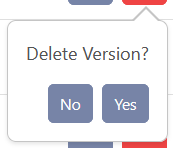
Finally, a user can delete a version by clicking on the “Delete” button in the column “Actions”.

The following pop-up wizard will require the user to confirm the deletion before deleting it permanently.